
Metal-accelerated zoom
Zoom and pan are rendered on the GPU, so large JPEGs, HEICs, and RAW files stay smooth.
Free image viewer for macOS
Just Look! shows the photo full size with nothing in the way. Arrow keys move through the folder, Metal makes zoom instant, and ratings, tags, and picks are one key away. No import, no library.
Free download. Every Pro feature is included free for your first 30 days.

Preview is fine for one file. Just Look! is for the folder: every photo, in order, with your zoom, ratings, and picks kept as you move.
| What you want to do | Just Look! | Preview |
|---|---|---|
| Open a folder and arrow through every photo | ✓ The whole folder, no import | — Only the files you selected |
| Keep the zoom and position on the next photo | ✓ Hold ⌥ while browsing | — |
| Compare 2 to 6 photos side by side with synced zoom | ✓ Compare Grid, press G | — |
| Star ratings, picks, and reject flags | ✓ 1–5, Space, X | — |
| Finder color tags from the keyboard | ✓ ⌃1–9 | — |
| RAW+JPEG pairs shown as one image | ✓ | — |
| Strip updates when files are added to the folder | ✓ | — |
| Price | Free, with an optional Pro upgrade | Included with macOS |
Preview stays the right tool for PDFs and markup. Just Look! replaces it for looking through photos.
Nothing between you and the photo: no toolbar, no sidebar, no spinner.
Zoom and pan are rendered on the GPU, so large JPEGs, HEICs, and RAW files stay smooth.
While you look at one image, the next ones load in the background, so the arrow key feels instant.
Every image is shown at full quality right away. No blurry thumbnail stretched to fit while the real one loads.
A tiny header, a thumbnail strip you can hide with ⌘T, and nothing else. Press F for full screen.
Start on your last folder, your last file, or a default folder, so the first photo is up before you touch a key.
Open a folder, look, decide, press Esc. Done. It is a viewer, not a place you live.
From everyday JPEGs and HEICs to WebP, AVIF, JPEG XL, and camera RAW. Straight from the folder, no conversion.
JPEG, PNG, HEIC, TIFF, WebP, JPEG XL, SVG, OpenEXR, HDR, DDS, and TGA.
GIF, AVIF, WebP, PNG, and SVG.
Canon CR2, CR3, CRW, and DNG; Sony ARW and SR2; Nikon NEF and NRW; Fujifilm RAF; Olympus ORF; Panasonic RW2 and RAW; Pentax PEF and DNG; Leica DNG and RAW; Minolta MRW; Hasselblad 3FR and PPM; Epson ERF; Leaf MOS; Ricoh DNG; Samsung DNG and SRW; Kodak DCR; Nokia DNG; and OnePlus DNG. More on the RAW image viewer page.
Press ⇥ Tab and the thumbnail strip grows into a full-window Gallery. Ratings and tag colors show on every thumbnail, the arrow keys move the selection, and a double-click brings a photo back up full size.

Scan a whole shoot, spot the gaps, and jump straight to the frame you want.
Pick, rate, tag, rotate, rename, reveal in Finder, or trash from the thumbnail's context menu.
By name, kind, date, size, or dimensions, with ⌃⌥⌘1–7. Advanced sorting is part of Pro.
Press 1–5 to rate, ⌃1–9 for a Finder color tag, Space to pick, X to reject. The stars and colors are saved with the files, so they show up in Finder and travel with your photos.

Mark keepers with Space, then press ▼ to see only your picks and ▲ to see everything again.
Pull every 4-star shot into Picks from the Picks menu, review them together, and reorder them by dragging.
⌘⌫ moves the current image to the Trash and shows the next one. With Pro, undo brings it back.
Free on the Mac App Store. No import, so the first photo is up in seconds.
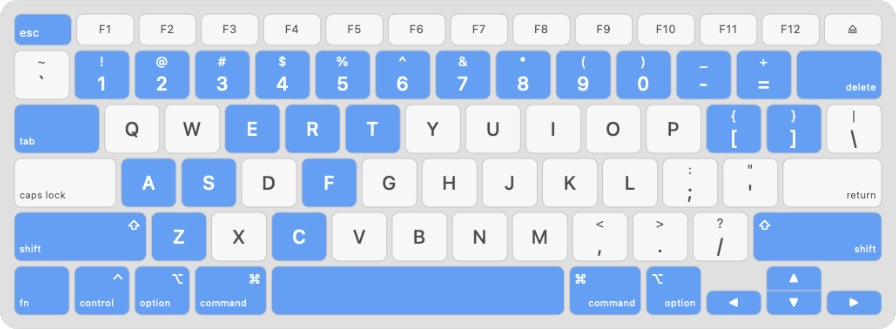
Every action has a key, and the keys are where your fingers already are. Learn six and you are faster than with any toolbar.
The same app, three jobs. Start with looking, keep going when the folder needs a decision.
Press G for 2 to 6 shots in one window, pin the best, and zoom them all together. Or overlay two frames and flip.
Compare photos on Mac →Pick, reject, rate, review only the picks, then trash the rest in one step with Pro. No import, no catalog.
Photo culling on Mac →CR3, NEF, ARW, RAF, ORF, RW2, DNG, and more, decoded at full resolution straight from the card.
RAW image viewer for Mac →The 30-day Pro trial starts the first time you open the app. No subscription or payment details are needed to try it.
Pro is sold in the Mac App Store as a monthly or yearly subscription, or as a one-time lifetime purchase. When the trial ends, the free features keep working.
For looking through folders of photos, yes. Preview opens the files you select; Just Look! opens the folder and lets you move through every image with the arrow keys, keep your zoom locked, compare shots side by side, and rate, tag, and pick as you go. For marking up PDFs or signing documents, keep Preview.
Yes. Just Look! is a free download from the Mac App Store. Viewing, keyboard browsing, Gallery, Compare Grid, overlay compare, Picks, reject flags, and star ratings are free. Just Look! Pro adds batch cleanup, XMP writing, tag editing, crop, undo, rename, sorting, and export presets, with a 30-day free trial, then $1.99 a month, $9.99 a year, or $19.99 once for lifetime access (US prices).
JPEG, PNG, HEIC, TIFF, WebP, JPEG XL, AVIF, SVG, OpenEXR, HDR, DDS, and TGA, animated GIF, AVIF, WebP, PNG, and SVG, and camera RAW from Canon, Nikon, Sony, Fujifilm, Olympus, Panasonic, Pentax, Leica, Hasselblad, and more, including DNG. See the format list above.
No. Just Look! opens folders in place. There is no import step and no library. Your files stay where they are, and ratings and Finder color tags are written to the files themselves, so other apps see them too.
Photos imports everything into a library and manages the copies for you. Just Look! works on folders in place: the files stay where you put them, nothing is duplicated, and ratings and tags are stored with the files. It is made for looking through a folder quickly, not for keeping a lifelong library.
Yes, if what you want is a lightweight, keyboard-driven viewer with modern format support. On top of fast browsing, Just Look! adds side-by-side compare, overlay compare, Option-key zoom lock, and a culling workflow with picks and ratings, and it is a free download from the Mac App Store.
Yes. Just Look! reads the folder as it is, preloads nearby images, and keeps zoom and navigation on Metal, so folders with hundreds or thousands of photos stay responsive. Press ⇥ to see the whole folder in the Gallery.
Free download. Fast, keyboard-first, and nothing to import.
Requires macOS 12 or later. See all features.